![[102CS][Apple Service Pack] Genuine Apple iPhone 16 Pro Max - Replacement Battery With New Screw Kit](http://www.polartech.com.au/cdn/shop/files/102CS_535x.jpg?v=1788422112)
![[102CS][Apple Service Pack] Genuine Apple iPhone 16 Pro Max - Replacement Battery With New Screw Kit](http://www.polartech.com.au/cdn/shop/files/102CS1_535x.jpg?v=1788422112)
![Chargez l'image dans la visionneuse de la galerie, [102CS][Apple Service Pack] Genuine Apple iPhone 16 Pro Max - Replacement Battery With New Screw Kit](http://www.polartech.com.au/cdn/shop/files/102CS_400x@2x.jpg?v=1788422112)
![Chargez l'image dans la visionneuse de la galerie, [102CS][Apple Service Pack] Genuine Apple iPhone 16 Pro Max - Replacement Battery With New Screw Kit](http://www.polartech.com.au/cdn/shop/files/102CS1_400x@2x.jpg?v=1788422112)
Condition: Brand New
Quality: Genuine Apple Service Pack Replacement Part
Compatible With: For iPhone 16 Pro Max
Repair Tutorial
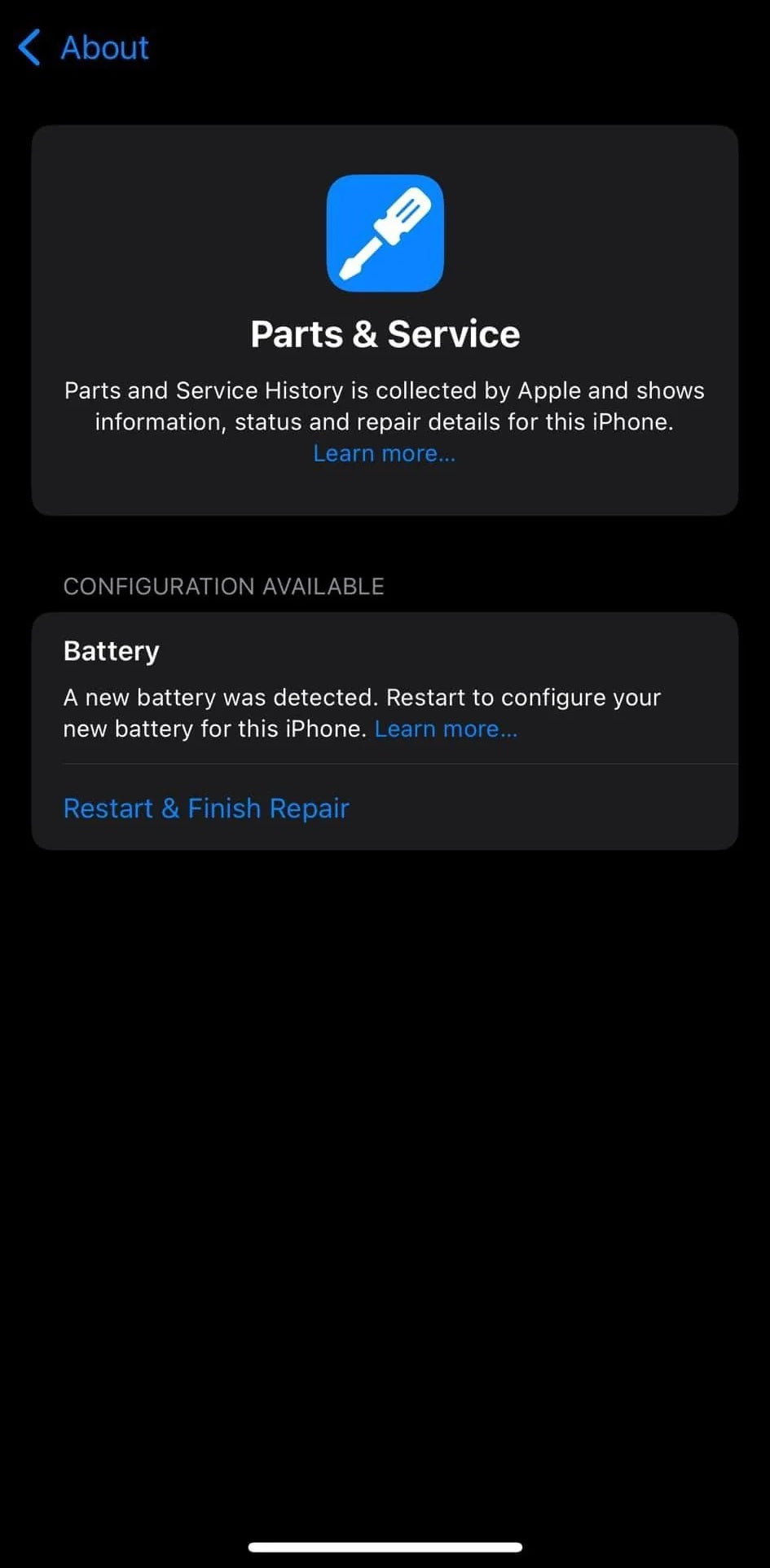
Please update software to iOS 18.2 before installation.
Step 1: After install the new battery
Step 2: Go Settings - General
Step 3: Restart & Finish Repair to complete the repair

Description
If your iPhone won't turn on, is stuck in a boot loop, has a "service battery" warning, or simply won't hold a charge, this replacement battery may be what you need to fix it.
iOS 18 has streamlined the self-repair process for iPhone users, including replacing the battery without triggering an error message. Here are the steps for replacing the iPhone battery yourself, ensuring no errors post-replacement:
With this GENUINE parts, iOS 18 eliminates the battery error message that appeared in earlier versions when non-certified parts were used, making the process smoother for DIY enthusiasts.